✅ What you'll learn
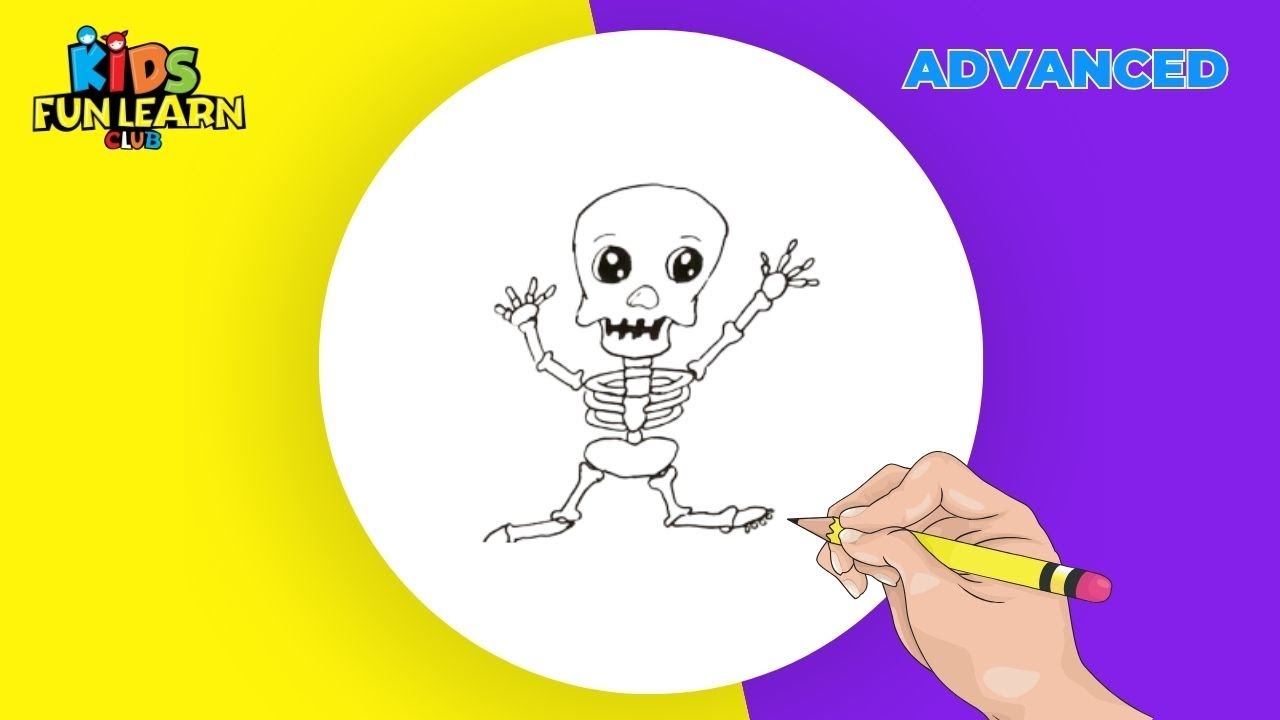
- How to draw How to draw skeleton step by step
- Basic shapes and outline techniques
- How to add details and texture
- Colouring and finishing tips
💡 Perfect if you're thinking...
Learn to Draw skeleton
Follow along with this easy step-by-step drawing tutorial and learn how to draw skeleton. Perfect for kids and beginners!
Materials You Will Need
- Drawing paper or sketchbook
- Pencil (HB or #2)
- Eraser
- Black marker or pen for outlining
- Colored pencils, markers, or crayons
Drawing Tips
- Start with light pencil lines so you can easily erase mistakes
- Take your time with each step
- Add your own creative touches to make it unique
- Practice drawing skeleton multiple times to improve
Frequently Asked Questions
Is this drawing tutorial suitable for beginners?
Yes! This step-by-step tutorial breaks down the drawing of skeleton into simple, easy-to-follow steps perfect for kids and beginners.
What age group is this for?
This tutorial is designed for kids ages 5 and up, but anyone can follow along and learn to draw skeleton!
How long does it take to complete?
Most kids can complete this drawing in 15-30 minutes. Take your time and enjoy the process!
Can I use different coloring materials?
Absolutely! Use colored pencils, markers, crayons, or even watercolors to bring your skeleton drawing to life.
You Might Also Like
How to Draw a Skeleton: Step-by-Step for Kids
A skeleton is a stack of simple bones: a skull, a spine, a ribcage and long bones for arms and legs. Draw the bones as sticks first, then add the knobbly ends.
What You'll Need
- Pencil (HB or 2B)
- Eraser
- White drawing paper
- Black marker for the outline
- Black marker
- Coloured pencils or crayons
Step-by-Step: Drawing a Skeleton
Step 1: Draw the skull
Draw a large circle for the head and a smaller rounded shape underneath it for the jaw.
Step 2: Add the face
Draw two big round eye sockets, a small upside-down heart for the nose and a row of short vertical lines for the teeth.
Step 3: Draw the spine
Under the skull, draw a short line for the neck and a longer curved line for the spine.
Step 4: Add the ribcage
From the spine, draw five or six curved lines on each side, getting shorter toward the bottom.
Step 5: Draw the pelvis
At the bottom of the spine, draw a butterfly-shaped bone.
Step 6: Add the arms
From each shoulder, draw a long bone, a bend for the elbow and a second long bone. Add finger bones.
Step 7: Draw the legs
From the pelvis, draw a long thigh bone, a round knee and a shin bone. Finish with a foot of small bones.
Step 8: Outline and erase
Draw a small knob at the end of each bone, then trace with a marker and erase the pencil.
Colouring Your Skeleton
Leave the bones white or cream and colour the background black or dark purple. Use light grey shading along one side of each bone.
Tips for Drawing a Skeleton
- Draw each bone with two small bumps at each end. That is what makes it a bone, not a stick.
- Use fewer ribs if it is hard. Four or five on each side is enough.
Try This With ChatGPT
With a grown-up, open a new ChatGPT chat and paste this prompt, changing [my age] to your age:
I am [my age] years old and I want to draw Skeleton. Give me 6 steps using only simple shapes like circles, ovals and lines. Give one step at a time and wait until I type “next” before giving the following step.
Exact steps, follow-up prompts and safety rules are in our parent-guided ChatGPT guide. More ideas: creative AI activities for kids.
🧠 Quick Quiz — Test What You Learned!
Created by Parikshet & Dad
Hi! I'm Parikshet, an 11-year-old creator from Dubai who loves drawing, art, science experiments, and golf. My dad and I run KidsFunLearnClub to share fun learning activities with kids around the world. We've created over 1,900 tutorials and videos to help you learn and have fun!
🎁 Free AI Activity Pack for Kids
20 hands-on AI activities Parikshet uses with his students — free, no credit card, instant download.
Get the Free Pack →Parikshet also teaches AI!
Join thousands of kids learning how AI works — in simple, fun lessons anyone can follow. Free activity pack included.
Explore AI for Kids → What is AI? Start here