✅ What you'll learn
- How to draw How to Draw Mic step by step
- Basic shapes and outline techniques
- How to add details and texture
- Colouring and finishing tips
💡 Perfect if you're thinking...
Learn to Draw Mic
Follow along with this easy step-by-step drawing tutorial and learn how to draw Mic. Perfect for kids and beginners!
Materials You Will Need
- Drawing paper or sketchbook
- Pencil (HB or #2)
- Eraser
- Black marker or pen for outlining
- Colored pencils, markers, or crayons
Drawing Tips
- Start with light pencil lines so you can easily erase mistakes
- Take your time with each step
- Add your own creative touches to make it unique
- Practice drawing Mic multiple times to improve
Frequently Asked Questions
Is this drawing tutorial suitable for beginners?
Yes! This step-by-step tutorial breaks down the drawing of Mic into simple, easy-to-follow steps perfect for kids and beginners.
What age group is this for?
This tutorial is designed for kids ages 5 and up, but anyone can follow along and learn to draw Mic!
How long does it take to complete?
Most kids can complete this drawing in 15-30 minutes. Take your time and enjoy the process!
Can I use different coloring materials?
Absolutely! Use colored pencils, markers, crayons, or even watercolors to bring your Mic drawing to life.
You Might Also Like
- How to Draw easy Blue Jay step by step for Kids | Drawing Tutorials for Kids!
- How to draw Draw a Cartoon Bird with hands easy step by step Tutorial for all the loving kids
- How to Draw easy Spiderman Miles Morales step by step for Kids #shorts
- How to Draw Funny Monster | Easy monster drawings for kids | Ep 35 6 minutes 100 days challenge
- Lear to draw Ronaldo #shorts #ronaldo
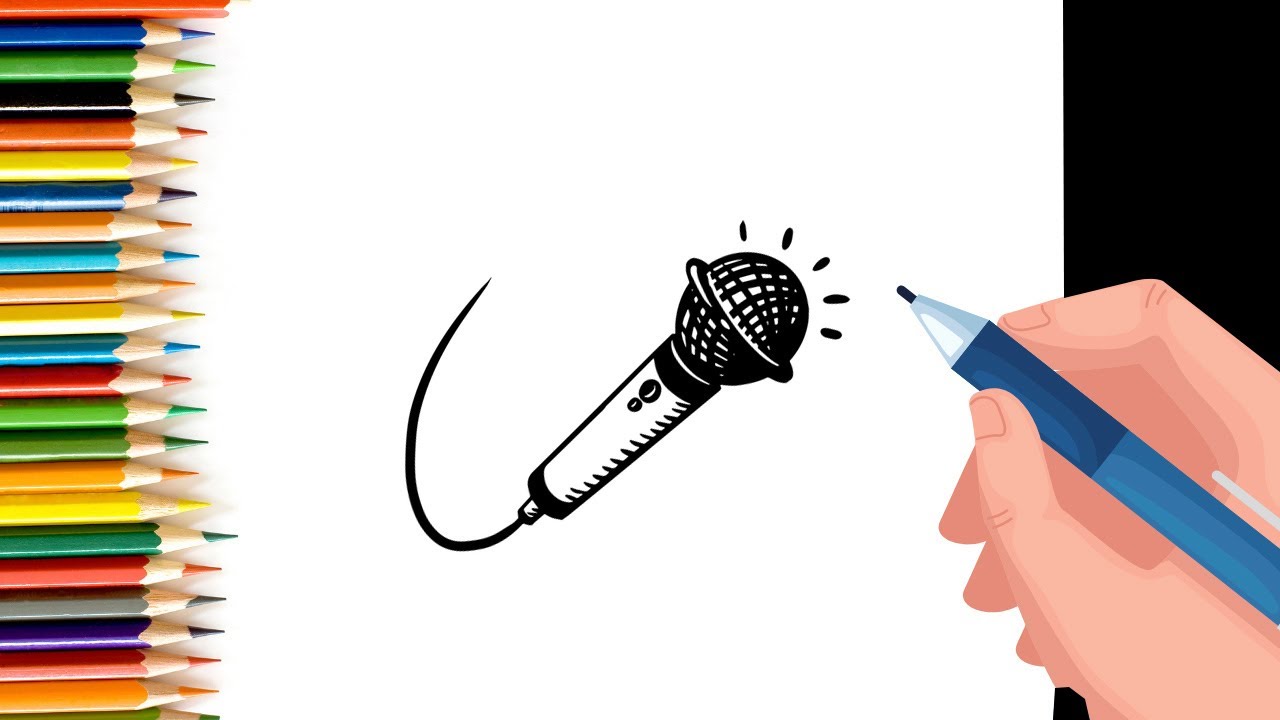
How to Draw a Microphone: Step-by-Step for Kids
A handheld microphone is a round mesh ball on top of a slim handle. Draw the ball first and add the criss-cross pattern.
What You'll Need
- Pencil (HB or 2B)
- Eraser
- White drawing paper
- Black marker for the outline
- Grey and black pencils
- Coloured pencils or crayons
Step-by-Step: Drawing a Microphone
Step 1: Draw the head
Draw a circle for the round head of the microphone.
Step 2: Add the mesh
Fill the circle with diagonal lines going both ways, so they cross and form small diamonds.
Step 3: Draw the ring
Draw a thin band around the bottom of the circle, where the head meets the handle.
Step 4: Draw the handle
From the ring, draw two lines that get closer together toward the bottom, like a long cone.
Step 5: Add the button
On the handle, draw a small rectangle or oval for the on/off switch.
Step 6: Draw the bottom
At the end of the handle, draw a small flat cap.
Step 7: Add a cable
From the bottom, draw a long wavy line for the cable.
Step 8: Outline and erase
Trace with a marker and erase the pencil.
Colouring Your Microphone
Use silver or grey for the mesh with a darker grey for the lines. Colour the handle black or dark blue and leave a white highlight along one side.
Tips for Drawing a Microphone
- Draw the crisscross lines lightly first, then go over them once they are even.
- Make the handle slightly narrower at the bottom.
Try This With ChatGPT
With a grown-up, open a new ChatGPT chat and paste this prompt, changing [my age] to your age:
I am [my age] years old and I want to draw Mic. Give me 6 steps using only simple shapes like circles, ovals and lines. Give one step at a time and wait until I type “next” before giving the following step.
Exact steps, follow-up prompts and safety rules are in our parent-guided ChatGPT guide. More ideas: creative AI activities for kids.
🧠 Quick Quiz — Test What You Learned!
Created by Parikshet & Dad
Hi! I'm Parikshet, an 11-year-old creator from Dubai who loves drawing, art, science experiments, and golf. My dad and I run KidsFunLearnClub to share fun learning activities with kids around the world. We've created over 1,900 tutorials and videos to help you learn and have fun!
🎁 Free AI Activity Pack for Kids
20 hands-on AI activities Parikshet uses with his students — free, no credit card, instant download.
Get the Free Pack →Parikshet also teaches AI!
Join thousands of kids learning how AI works — in simple, fun lessons anyone can follow. Free activity pack included.
Explore AI for Kids → What is AI? Start here